In the browser
PhotoCraft online: edit images without installing anything
The same Rust core compiles to WebAssembly, so the editor can open in a browser tab.
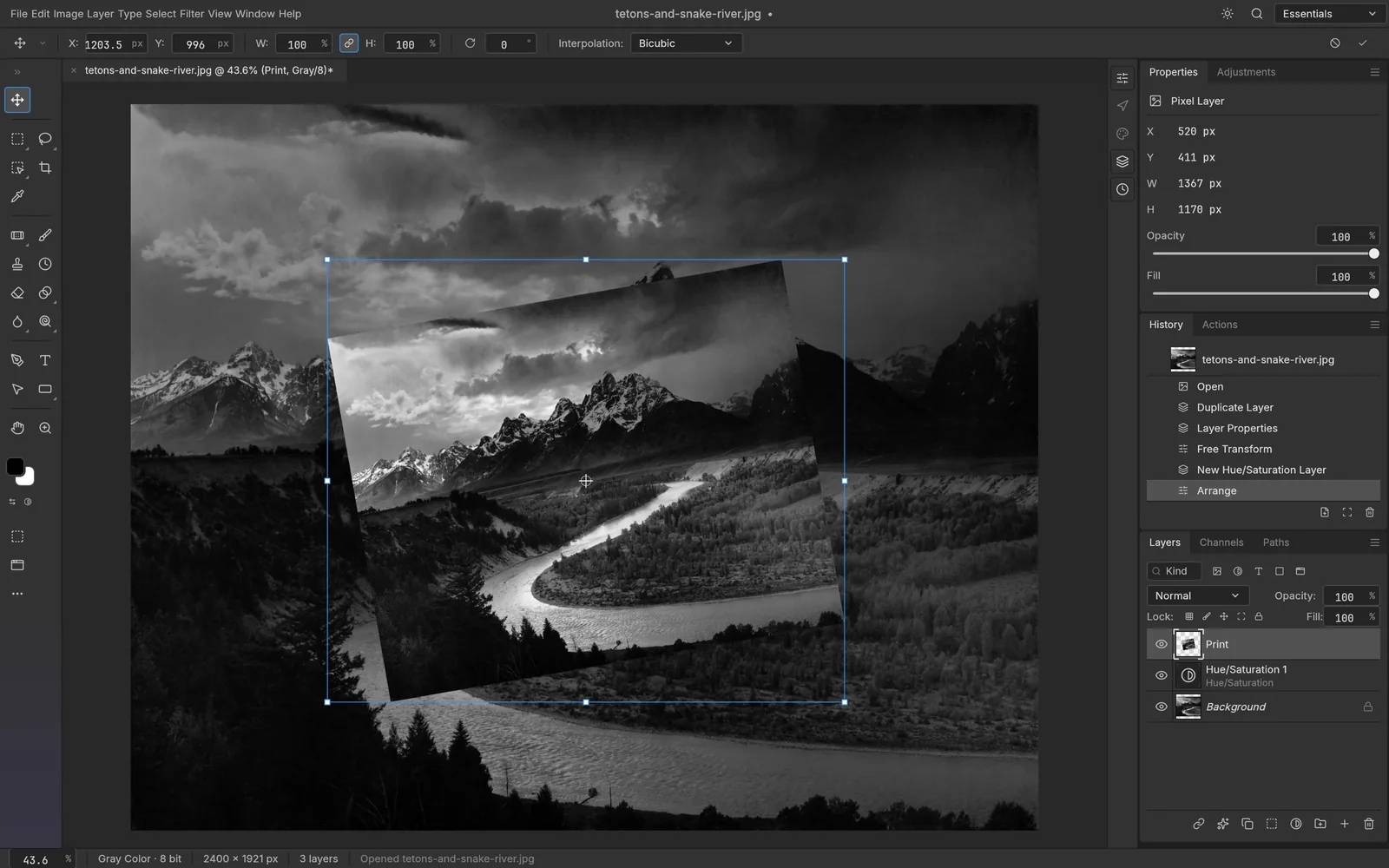
One Rust core, compiled for the browser
PhotoCraft is written once in Rust and built twice: a native binary for the desktop and a WebAssembly module for the web. The layer stack, the PSD reader and the compositor are the same source in both builds.
- Layers, masks and adjustment layers come from one shared codebase in both builds.
- PSD and PSB files are opened by the same parser the desktop app uses.
- Rendering goes through the GPU compositor, using WebGPU where the browser supports it.
- Because both targets share one source tree, the web build is not a separate stripped-down editor.
Source for both builds: github.com/storytold/photocraft
What the browser build cannot do yet
PhotoCraft is early alpha, and the WebAssembly build is the youngest part of it. Treat it as a way to try the editor and handle light work, not as a replacement for a desktop install.
- Expect slower performance than the native build, since everything runs inside a browser sandbox.
- Very large documents and heavy filters can push a tab past what it handles comfortably.
- Round-tripping complex PSD files is better tested on the desktop build.
- The web build tracks the desktop build from the same source, so gaps close over time rather than staying fixed.
File formats you can open
The editor reads the formats you would expect from a Photoshop-style tool, along with its own document format for saving layered work.
- PSDLayered Photoshop documents
- PSBLarge layered documents
- PNGLossless images with transparency
- JPEGCompressed photographs
- TIFFPrint and archive work
- WebPWeb images
- OpenEXRHigh dynamic range
- HDRRadiance HDR images
- AVIFModern compressed images
- .pcraftPhotoCraft's own document format
When a browser tab is not enough
The web build is a convenience, not a ceiling. When a project grows past light edits, the native build runs on four desktop platforms with the full editor and no browser sandbox.
macOS
Native build
Windows
Native build
Linux
Native build
FreeBSD
Native build
The desktop builds ship without an Electron wrapper, so the editor is a native window rather than a packaged web page.
Questions
PhotoCraft online FAQ
Open the editor in your browser
The official web app runs the same PhotoCraft build in the tab. This site is an independent guide and is not affiliated with the project.