Capabilities
PhotoCraft features: what the editor does today
The layer stack, the file formats and the automation surface are already substantial. Here is what actually ships today.
An editor that treats layers the way you expect
PhotoCraft rebuilds the familiar image editor model from public specifications. A document is a stack of layers, and almost everything you add to that stack stays editable.
- Group, clip and mask layers without flattening anything.
- Keep adjustment layers live, then mask them to a single region.
- Round-trip layered PSD and PSB documents back out of the editor.
New to Rust? The getting started guide walks through a first session from clone to a saved layered file.
What is included
Six areas that already work
Each one is wired into the same document model, so effects stack the way you would expect them to.
Layers and masks
Groups, clipping masks, pixel and vector masks, alpha channels and Quick Mask. Blend modes, opacity, fill and per-layer locks sit on every layer.
16 adjustment layers
Curves, Levels, Vibrance, Hue/Saturation and more, applied as live layers or straight to pixels. Mask one to a region and the rest of the document is untouched.
Layer styles
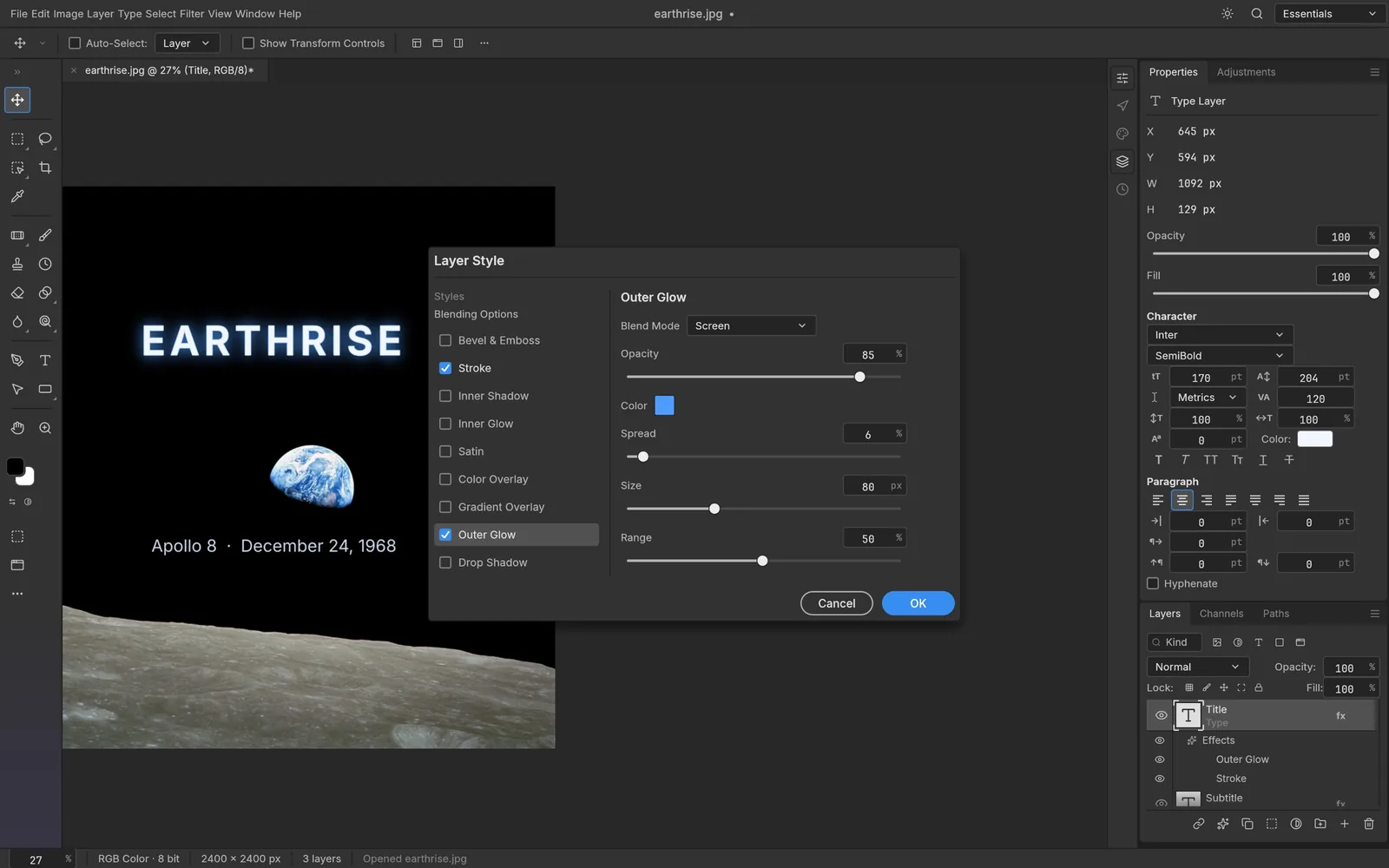
Drop shadow, inner and outer glow, bevel, satin, stroke and colour, gradient or pattern overlays, all live on any layer including type.
Text and typography
Point and paragraph text edited on the canvas, with character and paragraph controls for font, weight, size, leading, tracking, alignment and colour.
Vector and shapes
Rectangle, ellipse, triangle, polygon, line and Pen tools produce resolution-independent shape layers with gradient fills and dashed, aligned strokes.
The brush engine
Shape dynamics, scattering, texture, dual brush, colour dynamics, transfer and smoothing, driven by pen pressure, tilt, rotation and direction.
The numbers behind the feature list
Counted from the project itself, not from a marketing page.
- tools in the toolbox
- 52
- adjustment layer types
- 16
- blend modes
- 27
- registered commands
- 500+
- Rust crates
- 24
- automated tests
- 1,700+
Real PSD files, not an import filter
PhotoCraft reads and writes layered PSD and PSB documents with a parser written from Adobe's public specification and tested against a corpus of real files.
- Re-saving a document keeps the render of 307 of the 309 files in the psd-tools test suite.
- Anything the document model does not model yet is carried over instead of being dropped.
- Large PSB documents and layered files open natively rather than being flattened on import.
Supported formats
Layered
Flat raster
High dynamic range
Modern
Native document
Two compositors, one document model
The engine is separated from the interface, and the rendering path is verified rather than assumed.
wgpu compositor
The canvas is composited on the GPU through wgpu, which targets Metal, Vulkan, DirectX 12 and WebGPU from a single codebase.
Copy-on-write tiles
Documents are stored as 256 by 256 sparse tiles with copy-on-write semantics, so undo stays cheap and large canvases stay light.
CPU reference compositor
A second compositor runs on the CPU as a reference implementation. The two are tested against each other, so the GPU output can be trusted.
No Electron shell
The app is a native binary rather than a web view wrapped in a desktop runtime, and the same engine compiles to WebAssembly for the browser.
Automation
One command engine, many ways to drive it
Every menu item, tool and dialog runs a command from a single registry. The interface, the CLI, a JSON control channel and an MCP server all call the same commands, so a script or an AI agent can do anything you can click.
# Headless: open, edit and export
photocraft-cli run wave.psd \
  --cmd filter.sharpen.smartSharpen --params '{"amount":80}' \
  --out wave-final.png

# Apply one action list to a folder of images
photocraft-cli batch --actions grade.json --in ./raw --out ./graded

# Let an agent drive the editor over MCP
photocraft-cli mcp
Native everywhere, plus the browser
One engine, built as a native binary for five targets and as WebAssembly for the web. No Electron shell anywhere.
macOS
Native app and CLI
Windows
Native app and CLI
Linux
Native app and CLI
FreeBSD
Native app
Web (WASM)
Runs in the browser
PhotoCraft features FAQ
This site is an independent guide and is not affiliated with the PhotoCraft project or the ArtCraft team.
Ready to try the editor?
Build PhotoCraft from source on any supported platform, or run the browser build with no install at all.