
Open-source image editor in Rust
PhotoCraft: the Rust Photoshop alternative
Layers, masks, adjustment layers and real PSD round trips, in a clean-room codebase you can build yourself.
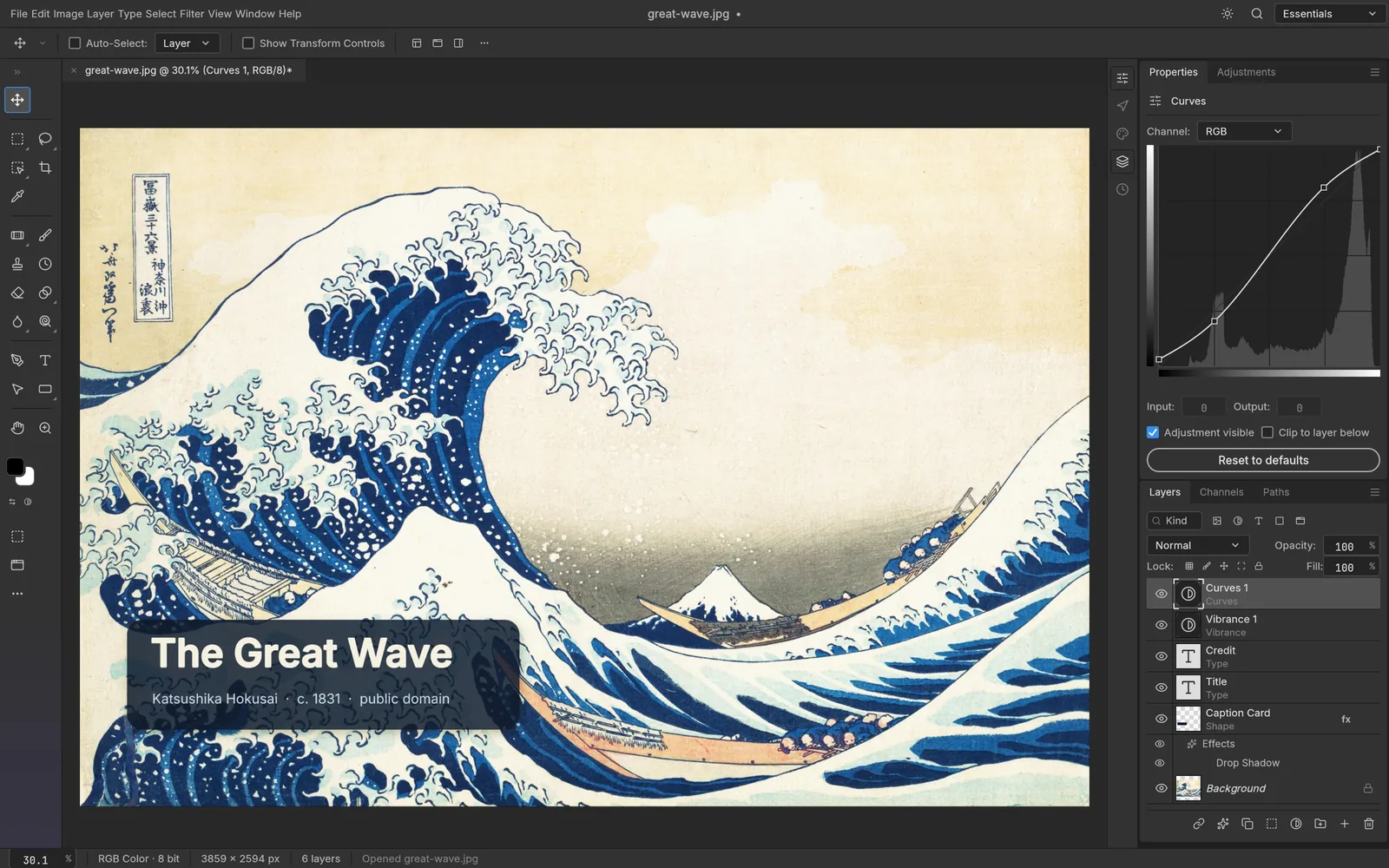
What PhotoCraft is
PhotoCraft is an open-source image editor written from the ground up in Rust, positioned as an alternative to Adobe Photoshop. It is a clean-room implementation, so the code was written by the project itself rather than derived from another editor.
The editor ships under a permissive MIT and Apache-2.0 dual license, which means you can read the source, build it on your own machine, and reuse it without a commercial agreement.
It is built by the ArtCraft team and released as an early alpha. The core editing model works today and the surface area keeps changing from one release to the next.
Every capability and number on this page is checked against the official repository, and each reference to the PhotoCraft software points back to it.
- Written in
- Rust, implemented from scratch
- Approach
- Clean-room, no code reused from other editors
- License
- MIT / Apache-2.0 dual license
- Status
- Early alpha, active development
- Built by
- The ArtCraft team
- Official site
- getartcraft.com
Capabilities
The editing engine, in numbers
The project is young, but the layer model, the format support and the automation surface are already measurable.
PSD fidelity
307 / 309
files
PSD round trips that stay faithful
PhotoCraft reads and writes real PSD files. In the psd-tools test suite, 307 of 309 files re-saved without a fidelity loss.
52
Editing tools
16
Adjustment layers
27
Blend modes
500+
Commands
24
Rust crates
1700+
Automated tests
A GPU compositor with a CPU reference copy
Compositing runs through wgpu across Metal, Vulkan, DX12 and WebGPU. A second, CPU-only compositor renders the same document and the two are cross-checked, so a broken GPU path is caught instead of shipped.
wgpu compositor
One backend covering Metal, Vulkan, DX12 and WebGPU.
256 x 256 sparse tiles
Copy-on-write tiles keep large documents cheap to edit.
CPU reference pass
A CPU compositor cross-checks the GPU output.
No Electron shell
Native on macOS, Windows, Linux and FreeBSD, plus WebAssembly.
Part of the ArtCraft suite
PhotoCraft is one app in a family of Rust creative tools, each aimed at a familiar category of professional software.
01
VectorCraft
Vector design, aimed at Illustrator
02
FilmCraft
Video editing, aimed at Premiere
03
LightCraft
Photo workflow, aimed at Lightroom
04
EffectCraft
Motion and compositing, aimed at After Effects
05
DesignCraft
Page layout, aimed at InDesign
06
PdfCraft
PDF and print, aimed at Acrobat
Who PhotoCraft is for right now
The honest answer: PhotoCraft is an early alpha. Treat it as a serious project to follow and test, not a finished replacement for a professional suite.
A good fit if you
- Want to read or build an open-source editor written in Rust.
- Need real layered PSD files to move in and out of a workspace.
- Are comfortable running software that is still changing quickly.
- Want to drive edits from a command line or an AI agent over MCP.
Wait a while if you
- Need a finished, stable tool for paid production work today.
- Depend on features that have not landed yet in an alpha.
- Want a mature interface with no rough edges.
Where to go next
Questions
PhotoCraft, asked and answered
Start with the setup tutorial
See exactly what PhotoCraft does today, then follow the walkthrough to build it and save your first layered document.